The quick answer
Shrek 2 Remastered supports up to four players in couch, online or mixed co-op. Native online play stays within a platform family, with Steam and Epic able to play together on PC. Steam Remote Play Together shares a Steam host’s local game. If the game closes on Steam Deck before the menu, install the available game update first.
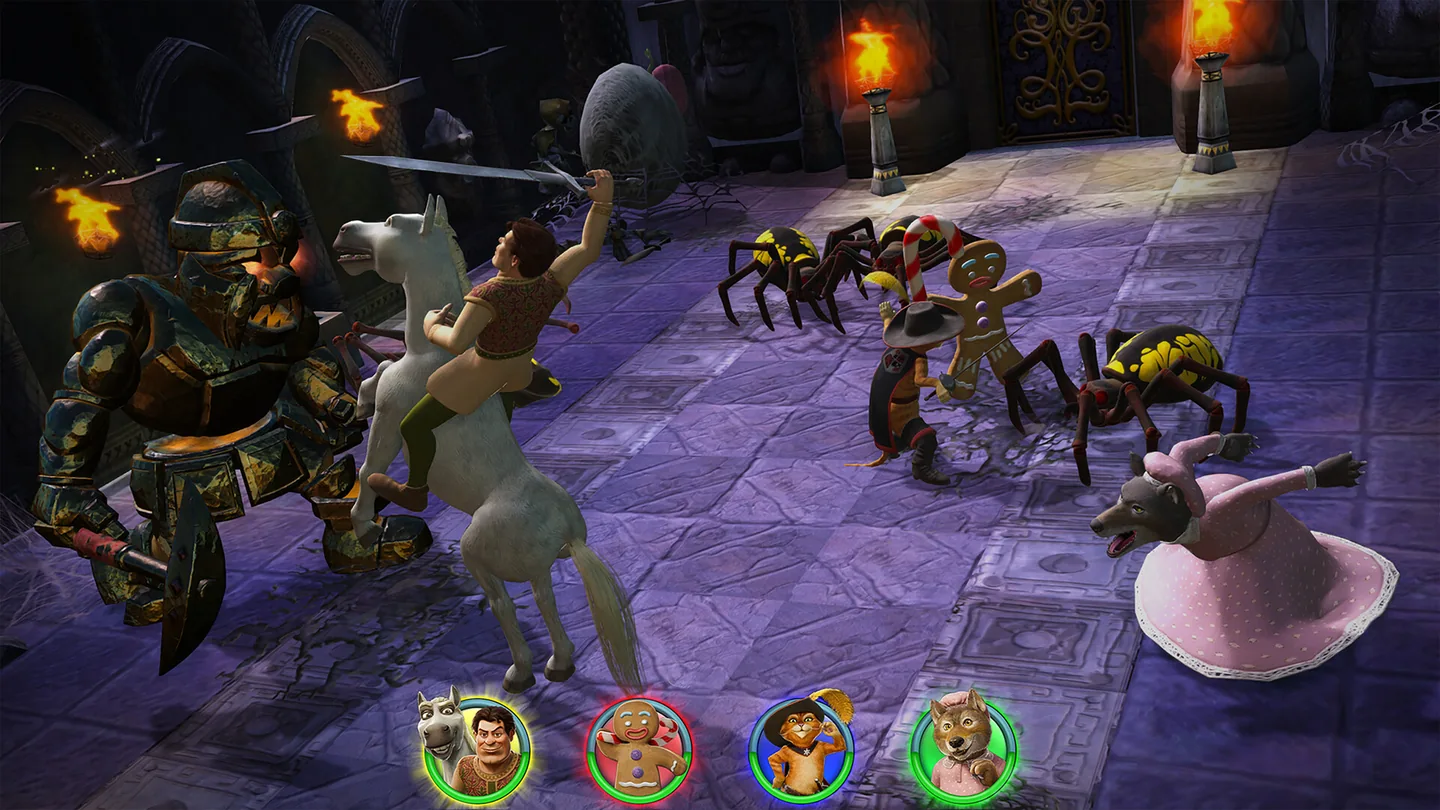
Choose how your group will play
| Mode | Where it works | First check |
|---|---|---|
| Couch co-op | One copy running on one supported PC or console, with up to four local players | Connect two controllers and get a second player moving in the same scene before adding more. |
| Native online | PC to PC, including Steam ↔ Epic. PS5 to PS5 and Xbox Series X|S within Xbox. Nintendo lists online play on Switch and Switch 2. | Start with one guest using the game’s online multiplayer. Match platforms and check the account or console membership requirement. |
| Mixed local and online | Aspyr lists mixed couch and online play, with up to four players total. The same native online platform boundaries apply. | Test your second local player and your first online guest separately before combining them. |
| Steam Remote Play Together | A Steam owner runs the game and streams its local session to guests through Steam. | Invite one friend through Steam and confirm both the stream and the guest’s controller work. |
Aspyr confirms PC, PlayStation and Xbox as separate groups for native online invites. A Steam player can join an Epic player on PC. A Steam player and a friend with the PS5 copy cannot join the same native lobby. If the friend can join the Steam host from a supported Remote Play device, the host can invite them to the streamed couch session. The PS5 copy does not take part in that session.
Nintendo lists 1–4 players on a single system and 2–4 online for both Switch and Switch 2. The listings leave online pairing between the two editions unconfirmed. Console online play requires the applicable subscription, such as PlayStation Plus or Nintendo Switch Online.
Add a second controller for couch co-op
- Test each pad separately. Close the game and make sure the PC or console detects both controllers. On a Steam host, check that Steam sees both as separate devices. A pad that fails at this stage needs a connection or pairing check before you troubleshoot the game.
- Start with two local players. Relaunch the game with both pads connected. Use player one to open the local session, then use the second pad for any join prompt the game displays. Check that each pad moves a different character before you add another player.
- Change one connection at a time. If Steam detects both devices but player two never appears, disconnect unused pads and relaunch with just the two you need. If a wireless pad also supports USB, test with a data-capable cable, then return to the original setup if it makes no difference.
Aspyr’s launch-fix announcement covers a crash on startup on specified SteamOS devices. The second-controller reports in the thread came from players, and Aspyr did not announce a controller fix there. Controller combinations and exact join buttons have not been tested for this guide.
Invite a guest with Steam Remote Play Together
- Host: Open the Steam copy and start the local game. From Steam’s Friends list or overlay, send a Remote Play Together invite to one guest.
- Guest: Accept the invite and check that you can see and hear the host’s game. If the stream opens, use your own controller and have the host check the guest’s controller access in the Remote Play session.
- Both: Confirm each pad can move a different character. If the stream itself closes, reconnect with one guest first. If the stream stays open and only the guest’s pad fails, check input access and try the local controller checks on the host before changing other settings.
For native Steam–Epic play, use the game’s online multiplayer. The Steam listing says native online features use Epic Online Services and support linking a Steam account. Check the in-game account prompt before trying the invite again. If linking or joining fails after both players update, record their storefronts and the point where it stops for Aspyr Support.
If Shrek 2 Remastered crashes on Steam Deck
Valve lists the game as Steam Deck Verified. The rating describes Valve’s compatibility checks. Aspyr confirmed in a pinned update that a crash on launch fix went live for Steam Machine, Steam Deck and Linux on SteamOS. The announcement does not identify a build number or confirm a fix for Windows crashes.
| What happens | What to try next |
|---|---|
| The game closes before its menu on SteamOS | Check Steam Downloads for the game update, let it finish and restart the device. If the game still closes, open Properties → Installed Files → Verify integrity of game files, then try opening it again. |
| The Windows copy closes at startup | Check Aspyr’s Windows 11 64-bit and DirectX 12 requirements. Check for the game update and verify installed files if you use Steam. Keep the exact error and device details for support. |
| The menu opens, but a pad or guest does not join | Note whether you are testing couch, native online or Remote Play Together. Follow that mode’s controller or invite checks above. |
If the problem continues, submit an Aspyr support request. Include the storefront, device and OS version, controller models and connection types, and the point where it fails. Mention whether the game was updated and which check reproduced the issue.
Browse more co-op and server guides or setup and troubleshooting guides.
More help with co-op & servers across our game guides.
Sources
- Steam listing and multiplayer featuresAspyr Media / Valve · Checked Nov 12, 2026
- Native crossplay boundaries, developer reply #4Aspyr Media · Checked Nov 12, 2026
- SteamOS launch fix, developer reply #11Aspyr Media · Checked Nov 12, 2026
- Remote Play Together setupValve · Checked Nov 12, 2026
- Steam Deck compatibility ratingsValve · Checked Nov 12, 2026
- Verify installed files in SteamValve · Checked Nov 12, 2026
- Windows graphics specificationsAspyr Media · Checked Nov 12, 2026
- Nintendo player counts and online playNintendo · Checked Nov 12, 2026
- PlayStation player counts and online playSony Interactive Entertainment · Checked Nov 12, 2026
- Xbox local and online co-opXbox · Checked Nov 12, 2026