The quick answer
Upgrade tools directly in their dedicated customization slots. Mk. 2 unlocks their main secondary abilities; Seed Shooter Mk. 4 adds Seed Stacking. Tools, Parts and Modes no longer consume Power, leaving that budget for Mods.
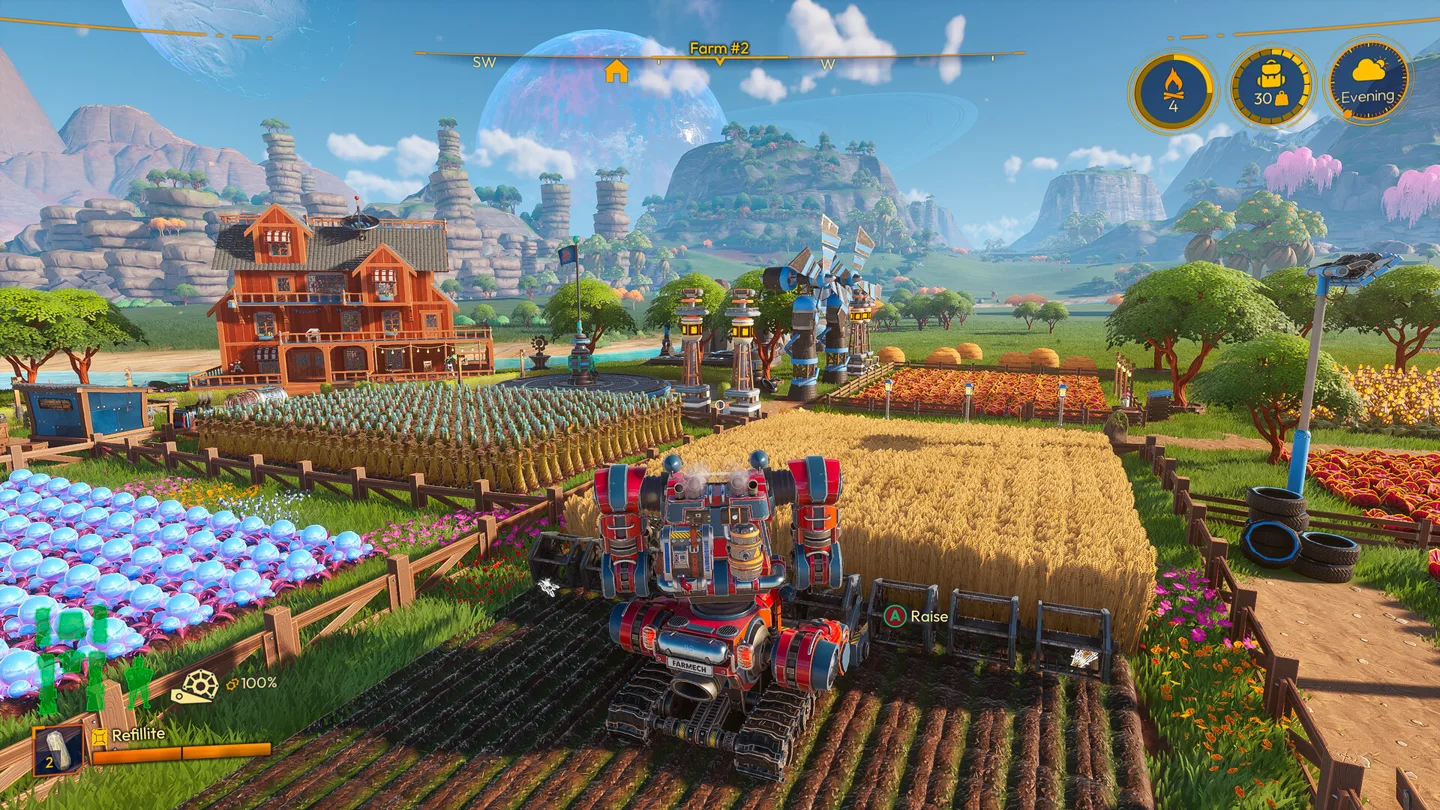
Use the upgrade path in the customization menu
In 1.0, each Tool, Part and Transform Mode has a dedicated slot and a predefined upgrade path. For example, upgrade a Seed Shooter Mk. 1 directly into Mk. 2 instead of crafting another standalone tool and moving it into a slot. Installed Mod Chips carry across that upgrade.
Upgrades improve built-in stats as well as unlock features. That matters when deciding how to spend resources: the base tool itself becomes more capable, instead of merely providing another place to install the same Mod.
Tool ability unlocks
| Tool | Upgrade | Ability | Useful when |
|---|---|---|---|
| Seed Shooter | Mk. 2 | Lock-On targets multiple Mounds | Seeding a prepared field takes too many individual shots |
| Seed Shooter | Mk. 4 | Seed Stacking plants additional seeds into one Mound for a yield bonus | You need more output from existing growing space |
| Spike Saw | Mk. 2 | Sweep hits multiple objects with continuous back-and-forth movement | Gathering or clearing requires many separate strikes |
| Vacuum Harvester | Mk. 2 | Harvest Vortex pulls crops out of the ground | Collecting mature crops is the slow part of the cycle |
| Irrigation Hose | Mk. 2 | Hydro Splash waters a larger field efficiently | Repeated watering is holding back fieldwork |
| Sprout Cannon | Mk. 2 | Volley plants several Sprouts together | Replanting trees requires too many individual actions |
The abilities are part of tool progression; the old secondary-ability Mod Chip requirement has been removed. Check that the upgrade is installed before searching the Mod list for an ability that now belongs to the tool itself.
Seed Stacking is separate from Lock-On
Lock-On is the earlier multi-target improvement. Seed Stacking arrives at Mk. 4 and puts more than one seed into the same Mound. If Mk. 2 is equipped and you cannot stack seed, that behavior does not indicate a broken input.
Once stacking is available, decide where extra seed helps your current delivery. Check the planting preview and the required output first. Yield-increasing Fertilizer can be combined with stacking, but Mulch instead changes the Mound’s type. For the complete sequence, use the crop rotation and mutation guide.
The Seed Minigun is another addition: a Mod for very rapid seeding. It should not be confused with the Mk. 4 stacking unlock. Choose it for the planting workload you actually have rather than assuming every farm needs the same setup.
Power and Mods
Tools, Parts and Modes no longer have their old Power cost. Mods still compete for the available Power budget. There are fewer Mod Slots overall, and individual chips were strengthened as part of that change.
Plan in two passes. First, bring the relevant tool or Part to a useful built-in capability. Then use Mods to solve the remaining task: harvesting speed, planting, mobility or another need shown by your current work. Avoid copying an Early Access build that depends on a different slot arrangement or many duplicate chips.
When the mech runs out of fuel, 1.0 applies a scaling stat penalty rather than fully switching Mod Chips off. Fuel management still matters; the change makes the failure less abrupt, not free to ignore. World difficulty settings can also alter fuel behavior, so compare like-for-like conditions when judging a build.
Gathering with the Spike Saw
Destructible objects show Weak Points when struck with the Spike Saw. A Weak Point hit adds a 25% damage bonus before any additional effects from relevant Mods. Aim at the shown point rather than treating every strike as equivalent.
For groups of objects, use Sweep when it is unlocked. For a single tough object, accurate Weak Point hits can matter more than simply swinging continuously. This is a task-based choice; the guide does not assume a measured fastest build for every resource.
Parts, Modes and appearance
Left and right Arms now share the Mech Arms progression, and left and right Legs share Mech Legs. Windshield and Engine progression were combined into Mech Body. Visual customization remains separate, so you can still style individual limbs and the Windshield/Engine appearance independently.
Unlocked Transform Modes are available in the selection wheel rather than competing for the old mode slots. Tapping the selection button quick-switches between Bipedal Mode and your last-used Mode. Width-adjusting Mods also let you change the active Tractor Mode’s width while using it.
For a compact farm, controllable width can be more useful than the widest possible pass. For long rows or hauling routes, configure around the available turning space and load.
Returning from an older save
Mods carry over and the migration grants Parts equivalent to your highest existing tier. Review the new slots before crafting replacements. Upgrade appearances unlock with the corresponding Part level.
If upgraded Legs make the mech shake badly at low frame rates, install v1.0.2563: that hotfix addresses this specific stability bug. For a production problem that upgrades will not solve, go back to the storage and automation checks.
More help with crafting & progression across our game guides.
Sources
- Lightyear Frontier 1.0 OUT NOW!FRAME BREAK · Checked Nov 7, 2026
- 1.0 Farming & Tool Improvements - Frontier NewsFRAME BREAK · Checked Nov 7, 2026
- Frontier News #5 - Mech Customization OverhaulFRAME BREAK · Checked Nov 7, 2026
- HOTFIX NOVEMBER 6TH | v 1.0.2563FRAME BREAK · Checked Nov 7, 2026