The quick answer
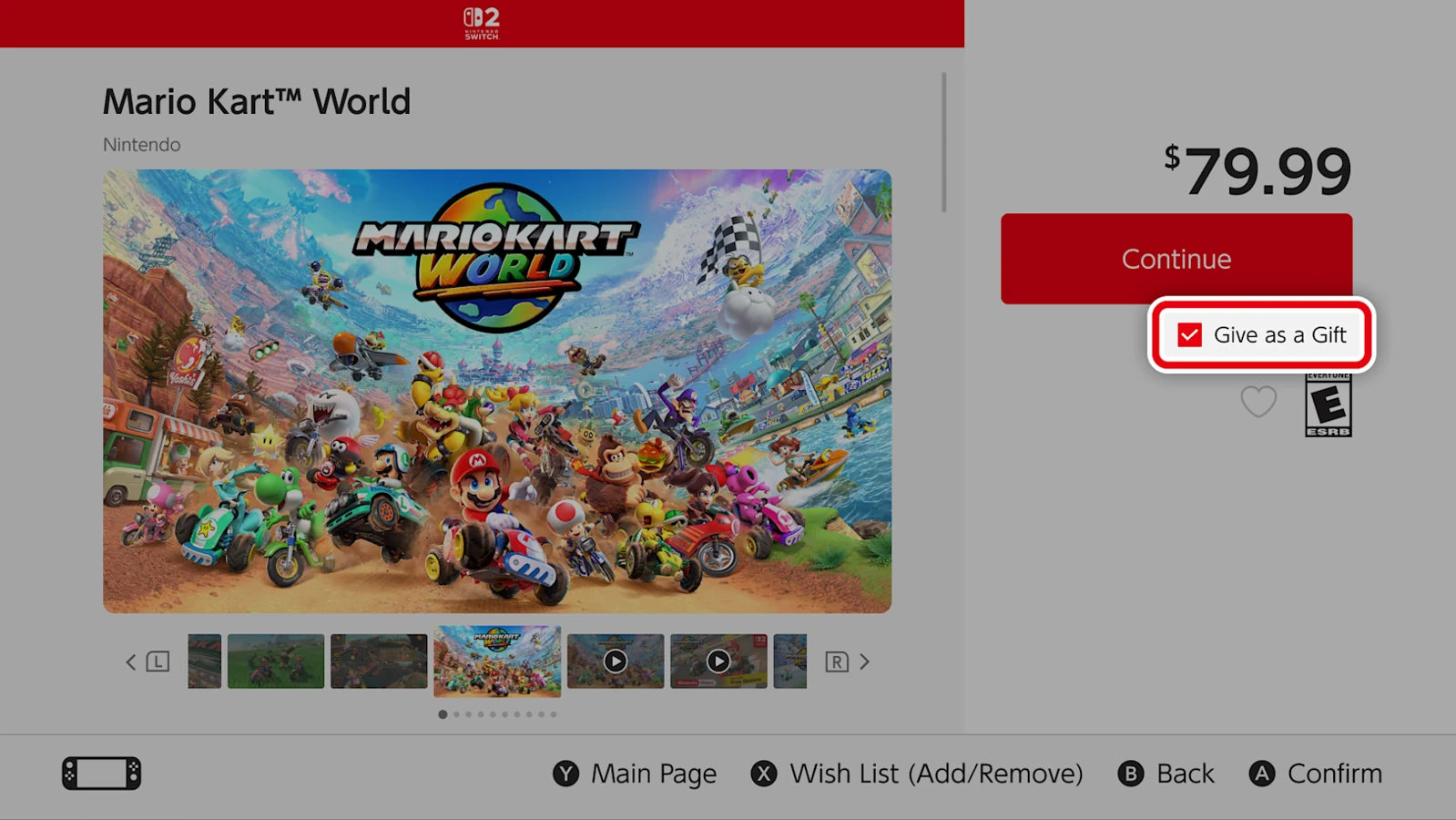
Nintendo eShop gifting is scheduled for November 16 in the US and Canada, and November 17 in Japan, France, the UK and Australia. Once it opens in your market, use Give as a Gift on an eligible product’s eShop page on Switch or Switch 2. Choose a member of your Nintendo Account family group and their linked console.
Check the eShop launch date in your market
As of November 14, 2026, this is an upcoming feature. Nintendo announced a system update and a later eShop rollout. Installing 23.5.0 prepares the console. The gift checkbox can appear after gifting opens in your market.
| Store market | Nintendo’s announced date |
|---|---|
| United States and Canada | November 16 |
| Japan | November 17 |
| France and United Kingdom | After eShop maintenance scheduled for November 17 |
| Australia | After the eShop update scheduled for November 17 |
Check HOME Menu → System Settings → System for your version and use System Update if needed. If your country is outside the table, check Nintendo’s local announcement. These dates do not establish a global opening time.
Set up the sender, recipient and destination console
Both people must be in the same Nintendo Account family group, which can include up to eight accounts. If the recipient is missing, have the admin sign in at the Nintendo Account website and open Family group → Add a member. The recipient accepts the invitation by email. Once their account appears in the family group, return to the eShop.
Nintendo says supervised accounts cannot send gifts. The eligibility check belongs to the sender’s account. If the recipient has both a Switch and Switch 2 linked, confirm which one they use and that it supports the edition you intend to buy. For DLC or an upgrade pack, check the base game or edition requirements on the product page.
Send the gift from the console eShop
- After the rollout in your market, open Nintendo eShop on the Switch or Switch 2 with the sender’s account.
- Open the eligible game, DLC or upgrade pack. Select Give as a Gift on the product page and proceed to checkout.
- Select the recipient from the family group list. If more than one linked console is available, choose the one that should receive the gift.
- Choose the gift wrap and review the product, account and destination. Confirm the purchase when you want it to arrive. Nintendo says delivery is immediate.
Accept the gift on the recipient’s HOME Menu
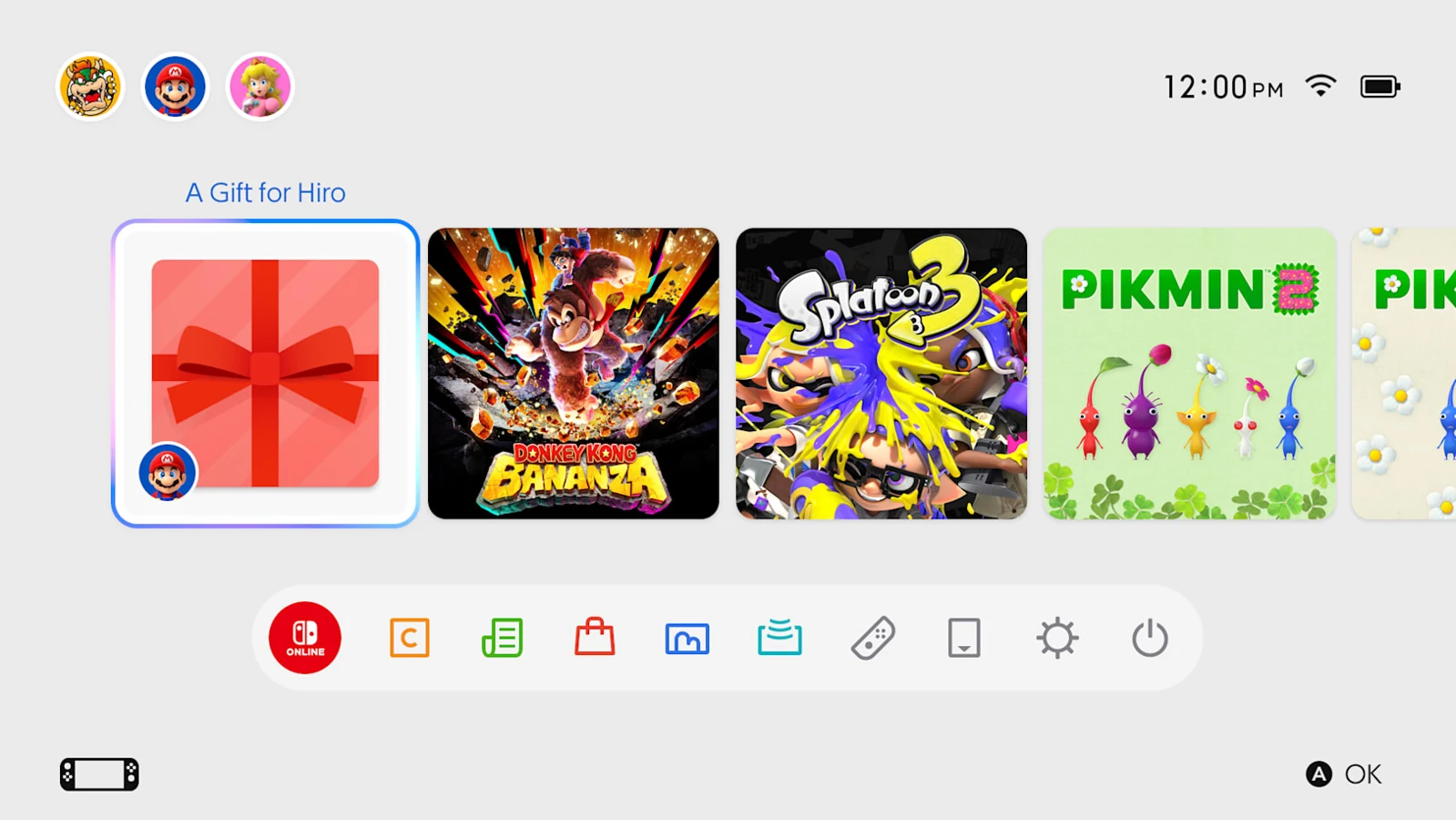
On the selected console, open the HOME Menu and select the present tile. Accept it using the recipient’s account and follow the on-screen prompts. Nintendo’s Japan announcement says the recipient can accept without entering payment details or a download code.
Fix a missing Give as a Gift checkbox or recipient
| What you see | First check |
|---|---|
| Give as a Gift is missing before the published date | Wait for your market’s eShop rollout, then reopen the eShop on the updated console. |
| The option is missing on one product | Check the exact game, edition or add-on. Nintendo allows eligible games, DLC and upgrade packs. |
| The option is missing across products after rollout | Confirm version 23.5.0 or later, use the console eShop, check the sender’s supervised status and look for Nintendo service maintenance. |
| The recipient or console is missing at checkout | Verify the family group invitation is accepted and the intended console is linked to the recipient’s Nintendo Account. |
| The purchase is blocked after earlier gifting | Read the checkout message. Nintendo has announced a purchase limit within a period, with the exact count and window unspecified in its launch notice. |
| The recipient sees no gift after purchase | Check the purchase confirmation and selected console. Ask them to check the HOME Menu on that system while connected before buying again. |
On November 16–17, recheck the regional rollout status and look for the gift checkbox on an eligible product before proceeding to checkout.
More help with version changes across our game guides.
Sources
- US rollout and sending and receiving stepsNintendo of America · Checked Nov 14, 2026
- Canada rollout and account restrictionsNintendo of Canada · Checked Nov 14, 2026
- Japan rollout and linked-console deliveryNintendo Japan · Checked Nov 14, 2026
- France version 23.5.0 and November 17 maintenanceNintendo France · Checked Nov 14, 2026
- UK version 23.5.0 and November 17 maintenanceNintendo UK · Checked Nov 14, 2026
- Australia version 23.5.0 and eShop updateNintendo Australia · Checked Nov 14, 2026
- Add members to a Nintendo Account family groupNintendo Support · Checked Nov 14, 2026